 Since the release of our self-scheduling API we’ve gotten fantastic feedback! To add to the many ways of consuming it we’ve authored a robust Ansible playbook for a quick and dirty way to self-schedule sets of hosts via the SSM API.
In addition to our Python client library or accessing the restful API directly via curl you can now use Ansible to directly self-schedule and receive systems from a QUADS server.
Features
- Performs all self-service steps: registration, login, host discovery and scheduling
- Allows scheduling multiple hosts or passing additional cloud values e.g.
qinq: 1ornowipe - Allows setting a host model preference order, or use
allif you don’t care - Supports listing available servers or scheduling specific servers you want
- Supports listing your current, active assignments only
- Generates list of scheduled hosts and authentication details to a local file
- Generates helper commands for querying assignment validation status and terminating the assignment via it’s
assignment_id
Quickstart
Clone the ansible-quads-ssm repository and adjust quads_config.yml appropriately.
git clone https://github.com/quadsproject/ansible-quads-ssm
cd ansible-quads-ssm && vim quads_config.yml
Ensure you have ansible, ansible-core and jq installed
dnf install ansible ansible-core jqOff you go then!
ansible-playbook quads_self_schedule.yml -e "workload_name='My Test Workload'"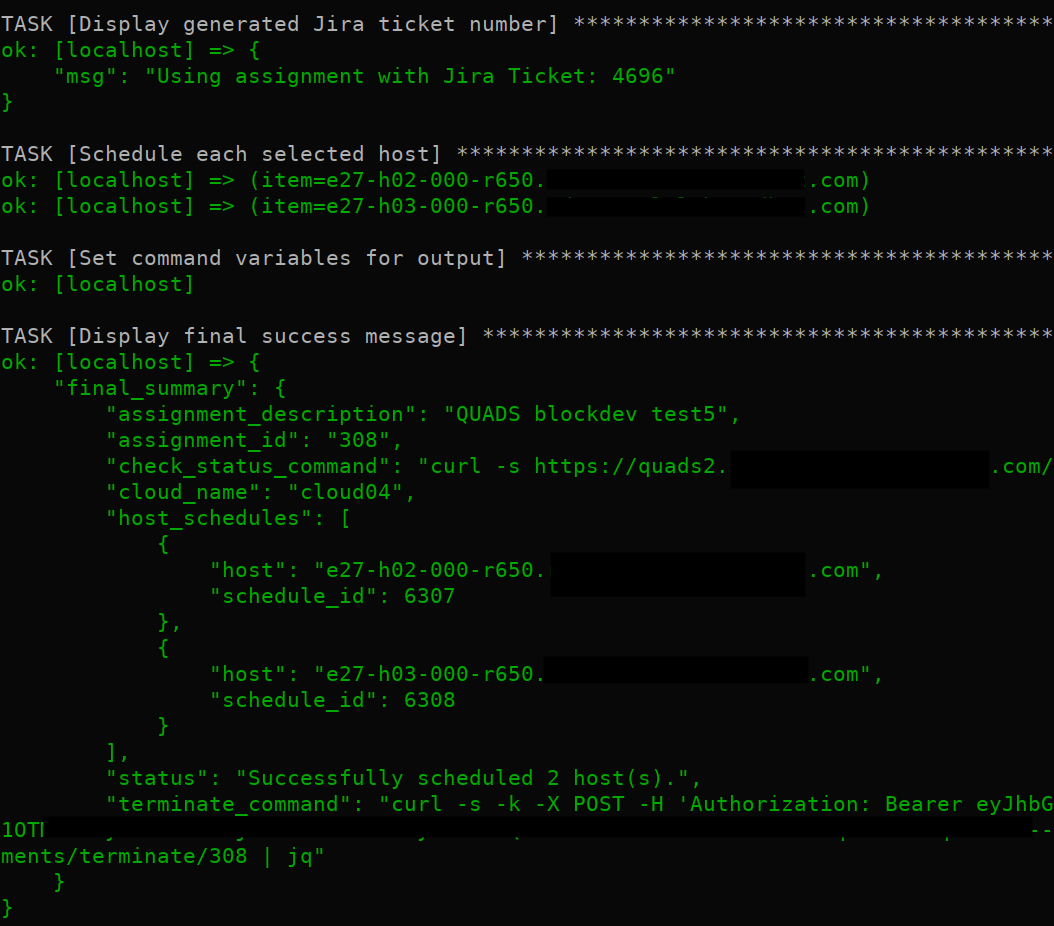
Find all the documentation and details here.
 QUADS Project