
quads-client is a new CLI and GUI for managing QUADS servers, built for the way we actually work: self-scheduling without tickets, multi-server sessions, and a terminal UI that is genuinely pleasant to use. It is available now via RPM or PyPi (Mac/Windows/Linux), with full self-scheduling support on QUADS 2.2.6.
What Does it Do?
quads-client gives you two ways to work with QUADS:
- Standalone CLI – interactive shell with tab completion, command history, scripting support and one-shot commands
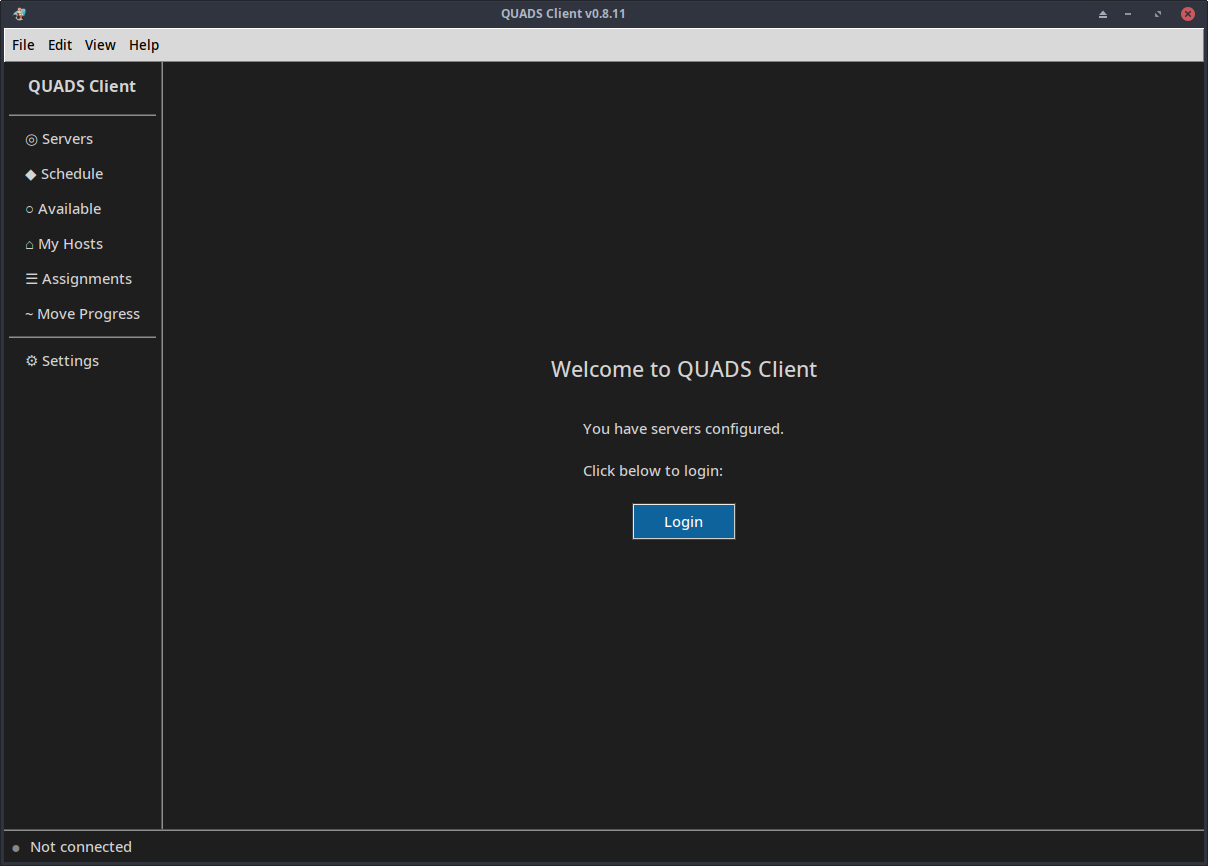
- GUI – modern graphical interface for Linux/macOS with onboarding wizard, dark/light themes and visual host management
It connects to multiple QUADS servers from one interface, keeps authenticated sessions alive, and switches between them instantly (Ctrl+A Ctrl+A toggles like GNU screen). Authentication uses qat_-prefixed SSO tokens from the QUADS web portal, no passwords sitting in your config, and all authorization is enforced server-side.
Installation
Python 3.13 or newer is required. From PyPI:
python3 -m venv venv
source venv/bin/activate
pip install quads-client
On Fedora, install from our COPR repository:
dnf copr enable quadsdev/python3-quads -y
dnf install quads-client
Install the GUI
The same COPR repository ships the full-featured GUI:
dnf install quads-client-gui
Self-Scheduling in One Shot
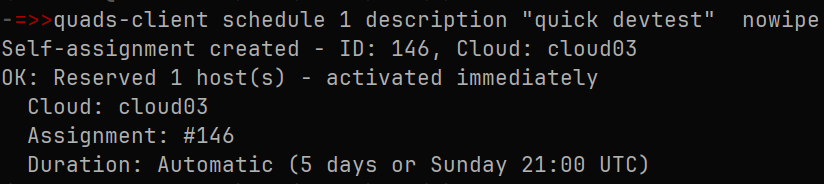
The headline feature is one-shot self-scheduling. Set a default server in ~/.config/quads/quads-client.yml, then from a script or shell one-liner:
quads-client schedule 3 description "dev testing"
QUADS picks matching hosts automatically. Need hardware filters? Count mode accepts model, RAM, disk type/size, NIC speed, even GPU vendor and product:
quads-client schedule 5 description "perf lab" model r640 ram 128
gpu-vendor "NVIDIA Corporation"
Prefer specific hosts or a list file?
quads-client schedule host01.example.com,host02.example.com description "CI pipeline"
quads-client schedule host-list ~/hosts.txt description "batch test"
When you are done, release everything with quads-client terminate 42 (or a single host). One-shots return proper exit codes for scripting, and commands can be piped: echo "my_hosts" | quads-client. No tickets, no admin approval.

More Than Scheduling
- Move progress:
move_status, livetrackwith auto-refresh, and cloud-groupedactivityacross the 12-stage provisioning pipeline - Multi-user workstations: keep separate admin and user sessions to the same server
- Context-aware tab completion that queries your server for clouds, hostnames, assignment IDs and values
- The GUI mirrors all of it, with a self-scheduling view, My Hosts, and a Move Progress panel
Availability
quads-client is available now. Fully working today: self-scheduling on QUADS 2.2.6. QUADS 3.0, expected in the coming weeks, brings full admin scheduling capability to the client as well.

